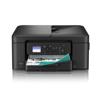
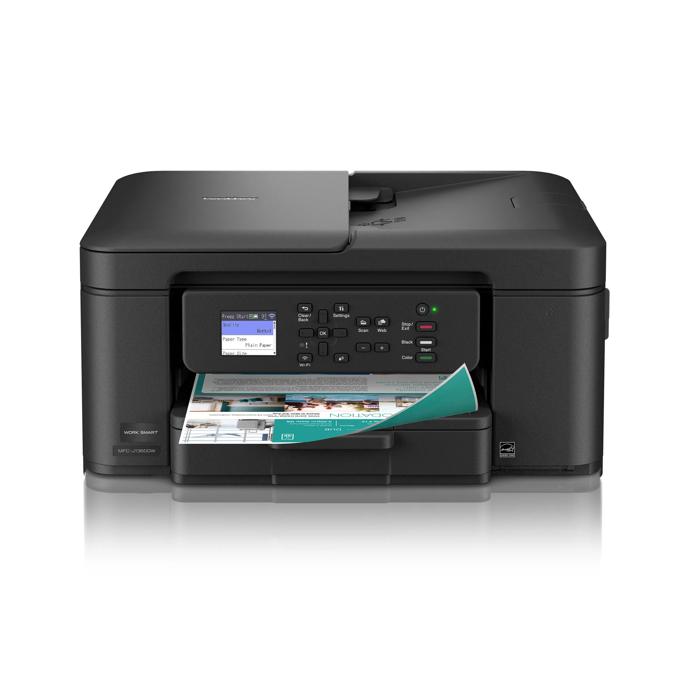
Brother MFC-J1360DW Wireless Color Inkjet All-in-One Printer
$109.99
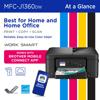
Best for home & home office
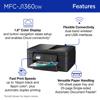
1.8" color display
Print up to 16 ppm‡
Size:
New
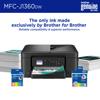
Print Confidently with Brother Genuine LC501 Ink in your Work Smart 1360 for reliable, consistent prints –the only brand we recommend for your Brother printer.
Feature | Value |
|---|---|
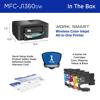
| Carton Contents‡ | Brother MFC-J1360DW, Starter Black Ink Cartridge (200 pages)‡, Starter Cyan, Magenta, Yellow Ink Cartridges (200 pages)‡, AC Power Cord, Product Safety Guide, Reference Guide, Warranty Card, Quick Setup Guide |
| Warranty | 1 Year Limited |
Main Features
All-in-One Printer.
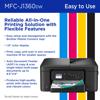
Get all your work done with a multifunction printer. Print, copy, and scan on one convenient, compact printer, with quick and easy setup.
Easy to Use with Cloud App Connections.
Print from and scan to popular Cloud apps‡, including Google Drive™, Dropbox, Box, OneDrive, and more from the simple to use 1.8” color display on your printer.
Productivity-Focused Printing Features.
This printer includes automatic duplex (2-sided) printing, a 20-sheet single-sided Automatic Document Feeder (ADF)‡, and a 150-sheet paper tray‡.
Multiple Connection Options.
Connect your way. Interface with your printer on your wireless network‡ or via USB.
The Brother Mobile Connect app.
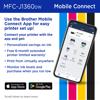
Put the power of printing at your fingertips. Go mobile with the simple-to-use Brother Mobile Connect app‡ that delivers easy onscreen menu navigation for printing, copying, scanning, and device management from your mobile device.
Fast Print Speeds.
Efficiency is the name of the game. Engineered to print at fast speeds of up to 16 pages per minute (ppm) in black and up to 9 ppm in color‡.
Specifications
Detailed technical specs to help you understand performance, compatibility, and requirements.
Feature | Value |
|---|---|
| Standard Interface | Dual Band Wireless: 802.11 b/g/n (2.4GHz), 802.11 a/n (5GHz), Hi-Speed USB 2.0 |
| Standard Network Features‡ | Printing, Scanning |
| Mobile Device Compatibility‡ | AirPrint, BrotherMobileConnect, Mopria, WiFiDirect |
| Brother Cloud Apps‡ | Email Print, Scan to Searchable PDF, Scan to Mobile, Scan to Word, Scan To PowerPoint, Scan To Excel, Cloud Secure Print, Easy Scan to E-mail |
| Supported Network Protocols IPv4 | APIPA (Auto IP), SNMPv1/v2c, TFTP Server, ARP, BOOTP, Custom Raw Port/Port 9100, DHCP, DNS Resolver, HTTP Server, ICMP, IPP, LLMNR Responder, LPR/LPD, mDNS, RARP, SNTP Client, Web Services (Print/Scan), WINS/NetBIOS Name Resolution |
| Supported Network Protocols IPv6 | IPP, HTTP Server, TFTP Server, NDP, RA, DNS Resolver, mDNS, LLMNR Responder, LPR/LPD, Custom Raw Port/Port 9100, SNMPv1/v2c, ICMPv6, SNTP Client, Web Services (Print/Scan) |
| One Push Wireless Setup | Wi-Fi Protected Setup™ |
| WiFi Certified | Yes |
Feature | Value |
|---|---|
| Unit Weight | 16.8 |
| Unit Dimensions | 15.4" x 13.5" x 7.2" |
| Carton Dimensions | 11" x 18" x 18" |
| Carton Weight | 20.2 |
Feature | Value |
|---|---|
| Standard Memory | 256 |
| Maximum Monthly Duty Cycle‡ | Up to 2,500 pages |
| Recommended Monthly Print Volume‡ | 50 to 1,000 pages |
| Standard Paper Capacity | 150 |
Feature | Value |
|---|---|
| Automatic Document Feeder Capacity‡ | 20 |
| Standard Paper Input Capacity (sheets)‡ | 150 |
| Output Paper Capacity (Sheets)‡ | 50 |
| Duplex Printing Capability | Yes |
| Paper Handling Size for Duplex Printing | Letter |
| Maximum Input for ADF | 8.5"/14" |
| Sheet Weight (ADF) | 17-24 lbs. |
| Sheet Weight - Paper Tray (Min/Max)‡ | 17 - 58 lbs. (bond) |
| Media Type | Plain, Inkjet Paper, Envelopes, Recycled Paper |
| Paper Handling Size Paper Tray | Letter, Legal, Executive, A4, A5, A6, Index Card (5" x 8"), Envelope (Com-10), Envelope (C5), Envelope (DL), Envelope (Monarch), Folio (8" x 13"), Photo (3.5" x 5"), Photo (4" x 6"), Photo (5" x 7") |
Feature | Value |
|---|---|
| Power Consumption Power Off Deep Sleep Ready Copying | Approx. 0.15W / 0.6W / 2.5W / 21.0W |
| Machine Noise Ready Printing | N/A / 55.0dB |
| EPA ENERGY STAR TEC Value | 0.1 |
| ENERGY STAR Certified | Yes |
| EPEAT Registered | Silver |
| Power Source | AC 120V 50/60Hz |
| Operating Environment Humidity | 20-80% (w/out condensation) |
| Operating Environment Temperature | 50-95° F |
Feature | Value |
|---|---|
| Black Print Speed‡ (max. ppm) | 16 |
| Color Print Speed‡ (max. ppm) | 9 |
| First Page Out Time‡ (max. sec.) | 6.2 (Black) / 9.6 (Color) |
| Automatic Duplex Printing | Yes |
| Print Resolution | Windows: Up to 1200 x 6000 dpi / MacOS: Up to 1200 x 3600 dpi |
| Cloud Services‡ (Print) | SharePoint Online, Box/Box for Business, OneNote, Google Drive™/Google Drive for Business, Evernote®/Evernote Business, OneDrive/OneDrive for Business, Dropbox/Dropbox for Business |
| CPU Speed | 576 |
| Consumable Type | Ink Cartridge |
| Printer Driver Compatibility‡ | Windows, macOS®, Linux |
Feature | Value |
|---|---|
| Scan Drivers Included‡ | TWAIN, WIA, SANE |
| Duplex Scanning | No |
| Advanced Scanning Features | Background Color Removal, ADF Auto Deskew, Blank Page Skip |
| Interpolated Scan Resolution‡ (max. dpi) | 19200 x 19200 dpi |
| Scanning Capability | Black and White, B/W and Color |
| Simplex Scan Speeds (black & color)‡ | 17ipm / 7ipm |
Feature | Value |
|---|---|
| Copy Resolution | 1200 x 1200 dpi |
| Duplex Copying | No |
| Sorting Function | Yes |
| N-in-1 Functions | 2in1 / 4in1 |
| Reduction Enlargement | 25%-400% |
| Copy Capability | BW;Color |
Feature | Value |
|---|---|
| Security Functions | Secure Boot, IP Filter, Enterprise Security (802.1x), TLS/SSL |
| Wireless Network Security‡ | WPA2-PSK (TKIP/AES), WPA3-SAE (AES), WEP 64/128 bit, WPA/PSK (TKIP/AES) |
| Security Protocols (Wireless) | SSL/TLS (IPPS, HTTPS), 802.1x (EAP-FAST, PEAP, EAP-TLS, EAP-TTLS) |
Feature | Value |
|---|---|
| Carton Contents‡ | Brother MFC-J1360DW, Starter Black Ink Cartridge (200 pages)‡, Starter Cyan, Magenta, Yellow Ink Cartridges (200 pages)‡, AC Power Cord, Product Safety Guide, Reference Guide, Warranty Card, Quick Setup Guide |
| Warranty | 1 Year Limited |
| Brother Mobile Connect‡ | Free app download & wireless connection required. Compatibility may vary by device and operating system. |
| Print from virtually anywhere‡ | Free Brother Mobile Connect App download, wireless connection and connection of an eligible printer with Brother are required. Compatibility may vary by device, operating system and country. |
| Wireless‡ | Requires connection to a wireless network. |
| Wireless Network Security | Wi-Fi Direct supports WPA2-PSK (AES) only. |
| Works With Chromebook | This product works with devices capable of running the latest version of ChromeOS and has been certified to meet Google's compatibility standards. Google is not responsible for the operation of this product or its compliance with safety requirements. Chromebook and the Works With Chromebook badge are trademarks of Google LLC. |
| Carton Contents‡ | Approx. ink cartridge yield in accordance with ISO/IEC 24711 (letter/A4). |
| Cloud Services‡ | Requires an Internet connection and an account with desired service. All referenced trademarks and registered trademarks are the property of their respective companies. Android and Google Drive are trademarks of Google LLC. EVERNOTE is a trademark of Evernote Corporation and used under a license. |
| First Page Out Time‡ (max. sec.) | From Ready Mode and standard tray. |
| Images | Images are for illustrative purposes only. |
| Interpolated Scan Resolution‡ (max. dpi) | Windows only. |
| Maximum Monthly Duty Cycle‡ | Maximum number of printed pages per month and can be used to compare designed durability between like Brother products. For maximum printer life, it is best to choose a printer with a duty cycle that far exceeds your print requirements. |
| Mobile Device Compatibility‡ | Requires connection to a wireless network. Brother Mobile Connect free app download is not available in all countries. AirPrint is a registered trademark of Apple Inc. MopriaTM is a registered trademark or service mark of Mopria Alliance, Inc. in the United States and other countries. Unauthorized use is strictly prohibited. Wi-Fi Direct is a registered trademark of Wi-Fi Alliance®. |
| Operating Systems Compatibility‡ / Printer Driver Compatibility‡ | For the latest OS compatibility and to download drivers visit support.brother.com. Printing via macOS requires the use of AirPrint. Mac printer drivers are not provided. |
| Page Gauge‡ | Page Gauge is an estimate for informational purposes only. For actual cartridge yield information refer to go.brother/pageyield. |
| Print Speed‡ | Based on ISO/IEC 24734 (after first set of ISO test pages). For inkjet print speed methodology, please visit www.brother-usa.com/printspeed. |
| Recommended Monthly Print Volume‡ | The recommended range of monthly printed pages to achieve the best possible performance and printer life. Printers are intended to handle occasional usage beyond this range with little or no effect. Consistently printing above the recommended print volume, however, may adversely affect the print quality or life of the machine. It is always best to choose a printer with an appropriate recommended print volume to allow for any anticipated increase in printing needs. |
| Refresh EZ Print Subscription‡ | Save up to 50%: Based on monthly subscription cost in U.S. for Mono Laser Power Plan vs. average cost per page of eligible like standard capacity cartridges. Savings will vary based on Refresh EZ Print Subscription plan selected. <br/><br/> Free Trial: Requires enrollment in a monthly billed Brother Refresh EZ Print Subscription service plan based on monthly printed page allotments. Unused pages roll over, limitations apply. Additional page set charges and taxes apply during trial. Plan, options offer and pricing subject to change. Open to new subscribers located in the contiguous United States only. After the free trial period your credit card will be charged on a monthly basis for the Plan Fee, Taxes and Additional Page Sets (if applicable) in accordance with the Terms of Service. Your service will continue on a month-to-month basis until you cancel it. May be canceled at any time. If your printer did not come with a refresh ready cartridge, upon cancellation the subscription cartridge will be deactivated and must be replaced at users’ expense in order to continue printing. For full details or to enroll, visit https://www.brother-usa.com/supplies/subscription-info. <br/><br/> Bonus Pages: Enroll in a qualifying Brother Refresh EZ Print Subscription Service plan within seven (7) days of powering on your eligible Brother printer/all-in-one to receive Bonus Pages. The number of Bonus Pages varies by subscription plan selected. Bonus Pages are valid only during the free trial period and do not roll over once the free trial period has ended. Offer has no cash value, is non-transferable, and may be changed or discontinued without notice. Brother reserves the right to amend or discontinue this offer at any time and without notice. Void where prohibited. |
| Scan Speeds (maximum)‡ | Scan speed based on ISO/IEC 17991. |
| "Scan To" Feature‡ | Scan to mobile devices requires a connection to a wireless network. |
| Standard Input Paper Capacity (sheets)‡ / Output Paper Capacity (sheets) / Automatic Document Feeder Capacity (max. pages‡) | Maximum Capacity based on using 20lb. paper. |