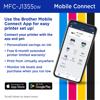
| Brother Mobile Connect‡ | Free app download & wireless connection required. Compatibility may vary by device and operating system. |
| Print from virtually anywhere‡ | Free Brother Mobile Connect App download, wireless connection and connection of an eligible printer with Brother are required. Compatibility may vary by device, operating system and country. |
| Wireless Network Security | Wi-Fi Direct supports WPA2-PSK (AES) only. |
| Works With Chromebook | This product works with devices capable of running the latest version of ChromeOS and has been certified to meet Google's compatibility standards. Google is not responsible for the operation of this product or its compliance with safety requirements. Chromebook and the Works With Chromebook badge are trademarks of Google LLC. |
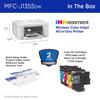
| Carton Contents‡ | Approx. ink cartridge yield in accordance with ISO/IEC 24711 (letter/A4). |
| Cloud Services‡ | Requires an Internet connection and an account with desired service. All referenced trademarks and registered trademarks are the property of their respective companies. Android and Google Drive are trademarks of Google LLC. EVERNOTE is a trademark of Evernote Corporation and used under a license. |
| First Page Out Time‡ (max. sec.) | Based on ISO/IEC 17629 and standard tray. |
| Free 6-month extended printer limited warranty‡ | Limited Warranty Extension is available for eligible Brother printers and all-in-ones, with at least 3 months of original product warranty remaining. Device connection required. Maximum warranty coverage period is three years (including Standard and Extended). |
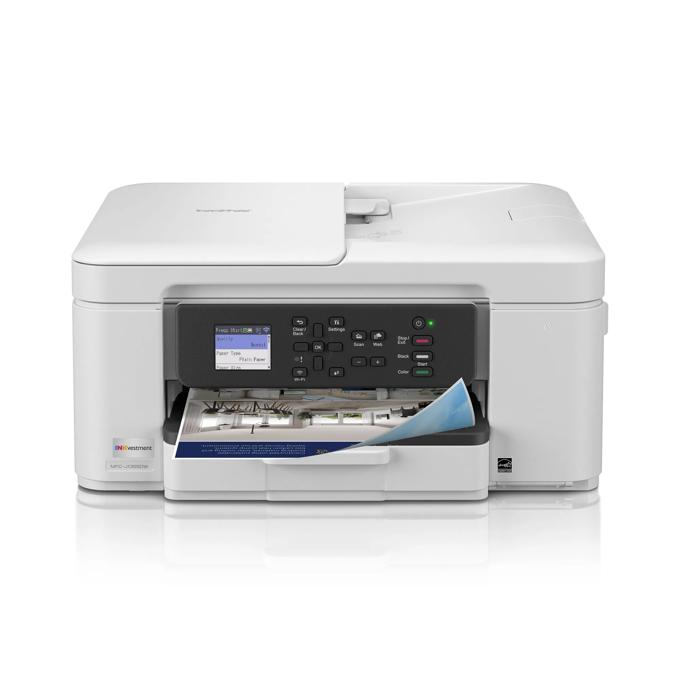
| Images | Images are for illustrative purposes only. |
| Interpolated Scan Resolution‡ (max. dpi) | Windows only. |
| Maximum Monthly Duty Cycle‡ | Maximum number of printed pages per month and can be used to compare designed durability between like Brother products. For maximum printer life, it is best to choose a printer with a duty cycle that far exceeds your print requirements. |
| Mobile Device Compatibility‡ | Requires connection to a wireless network. Brother Mobile Connect free app download is not available in all countries. AirPrint is a registered trademark of Apple Inc. MopriaTM is a registered trademark or service mark of Mopria Alliance, Inc. in the United States and other countries. Unauthorized use is strictly prohibited. |
| Operating Systems Compatibility‡ / Printer Driver Compatibility‡ | For the latest OS compatibility and to download drivers visit support.brother.com. Printing via macOS requires the use of AirPrint. Mac printer drivers are not provided. |
| Page Gauge‡ | Page Gauge is an estimate for informational purposes only. For actual cartridge yield information refer to go.brother/pageyield. |
| Print Speed‡ | Based on ISO/IEC 24734 (after first set of ISO test pages). For inkjet print speed methodology, please visit www.brother-usa.com/printspeed. |
| Recommended Monthly Print Volume‡ | The recommended range of monthly printed pages to achieve the best possible performance and printer life. Printers are intended to handle occasional usage beyond this range with little or no effect. Consistently printing above the recommended print volume, however, may adversely affect the print quality or life of the machine. It is always best to choose a printer with an appropriate recommended print volume to allow for any anticipated increase in printing needs. |
| Scan Speeds (maximum)‡ | Scan speed based on ISO/IEC 17991. |
| "Scan To" Feature‡ | Scan to mobile devices requires a connection to a wireless network. |
| Standard Input Paper Capacity (sheets)‡ / Output Paper Capacity (sheets) / Automatic Document Feeder Capacity (max. pages‡) | Maximum Capacity based on using 20lb. paper. |
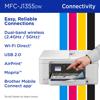
| Wireless‡ | Requires connection to a wireless network. |