|
Black Print Speed ‡ (max. ppm)
|
Based on single‐sided printing. Change from default setting required.
|
|
Mobile Device Compatibility‡
|
Requires connection to a wireless network. Brother Mobile Connect free app download is not available in all countries. AirPrint is a registered trademark of Apple Inc. MopriaTM is a registered trademark or service mark of Mopria Alliance, Inc. in the United States and other countries. Unauthorized use is strictly prohibited. Wi-Fi Direct is a registered trademark of Wi-Fi Alliance®.
|
|
Operating Systems Compatibility‡ / Printer Driver Compatibility‡
|
For the latest OS compatibility and to download drivers visit support.brother.com. Printing via macOS requires the use of AirPrint. Mac printer drivers are not provided.
|
|
Output Paper Capacity (sheets) / Standard Input Paper Capacity (sheets)‡ / Automatic Document Feeder Capacity (max. pages)‡
|
Maximum capacity based on using 20 lb. paper.
|
|
Recommended Monthly Print Volume‡
|
The recommended range of monthly printed pages to achieve the best possible performance and printer life. Printers are intended to handle occasional usage beyond this range with little or no effect. Consistently printing above the recommended print volume, however, may adversely affect the print quality or life of the machine. It is always best to choose a printer with an appropriate recommended print volume to allow for any anticipated increase in printing needs.
|
|
Refresh EZ Print Subscription‡
|
Save up to 50%: Based on monthly subscription cost in U.S. for Mono Laser Power Plan vs. average cost per page of eligible like standard capacity cartridges. Savings will vary based on Refresh EZ Print Subscription plan selected.
Free Trial: Requires enrollment in a monthly billed Brother Refresh EZ Print Subscription service plan based on monthly printed page allotments. Unused pages roll over, limitations apply. Additional page set charges and taxes apply during trial. Plan, options offer and pricing subject to change. Open to new subscribers located in the contiguous United States only. After the free trial period your credit card will be charged on a monthly basis for the Plan Fee, Taxes and Additional Page Sets (if applicable) in accordance with the Terms of Service. Your service will continue on a month-to-month basis until you cancel it. May be canceled at any time. If your printer did not come with a refresh ready cartridge, upon cancellation the subscription cartridge will be deactivated and must be replaced at users’ expense in order to continue printing. For full details or to enroll, visit https://www.brother-usa.com/supplies/subscription-info.
Bonus Offer: Bonus offer provides 1000 print pages at no charge. Bonus print pages may be used over the course of free trial. Bonus pages do not roll over free trial has ended. Enrollment in a Brother Refresh EZ Print Subscription Service plan within 7 days of powering-on your Brother printer/all-in-one is required to receive bonus offer.
|
|
Scan Drivers Included‡
|
To download drivers, visit support.brother.com. Scanning via MacOS requires the use of AirPrint.
|
|
Scan Speeds (maximum)‡
|
Monochrome scan speed in accordance with ISO/IEC 17991 with all advanced features turned off, Letter at 300dpi.
|
|
"Scan To" Feature‡
|
Scan to mobile devices requires a connection to a wireless network.
|
|
Wireless‡
|
Requires connection to a wireless network.
|
|
Wireless Network Security
|
Wi-Fi Direct supports WPA2-PSK (AES) only.
|
|
Brother Mobile Connect‡
|
Free app download and wireless connection required. Compatibility may vary based on device and operating system.
|
|
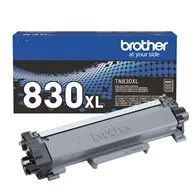
Bundled with High Yield Black Toner Cartridge‡
|
Items sold as part of a bundle may be returned individually for replacement (if defective) within the applicable Brother-USA.com Return Policy period for that individual item. Items sold as part of a bundle may be returned for refund if all components or items within the bundle are returned in their entirety and have been unused, unopened, and/or not tampered with. All items must be returned within the applicable Brother-USA.com Return Policy period.
|
|
Carton Contents‡
|
Toner: Approx. toner cartridge yields in accordance with ISO/IEC 19752 (Letter/A4) Drum: Approximately 15,000 pages based on 1 page per job letter/A4 single-sided pages). The number of pages may be affected due to a variety of factors including but not limited to media type and media size.
|
|
Emulation(s)
|
BR-Script3 is PostScript®3™ compatible.
|
|
First Page Out Time‡ (max. sec.)
|
From Ready Mode and standard tray.
|
|
Images
|
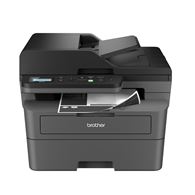
Images are for illustrative purposes only.
|
|
Included Software‡
|
Additional download required. Software application compatibility may vary based on operating system. App availability may vary based on country.
|
|
Interpolated Scan Resolution‡ (max. dpi)
|
Windows only.
|
|
Maximum Monthly Duty Cycle‡
|
Maximum number of printed pages per month and can be used to compare designed durability between like Brother products. For maximum printer life, it is best to choose a printer with a duty cycle that far exceeds your print requirements.
|


 Account


 1 Item has been added to your cart